精选
为什么选中它
待人工精选——以下事实来自源码仓库。
它能做什么
A DeepSeek Harness Plugin for Previewing Mermaid Diagram by Images in Chat Sessions
适合谁
想用 DSH 获得这项能力的用户;装前建议先看源码和文档。
风险提示
- 未发现明显风险信号;安装前仍建议查看源码。
A DeepSeek Harness Plugin for Previewing Mermaid Diagram by Images in Chat Sessions
待人工精选——以下事实来自源码仓库。
A DeepSeek Harness Plugin for Previewing Mermaid Diagram by Images in Chat Sessions
想用 DSH 获得这项能力的用户;装前建议先看源码和文档。
dsh plugin --profile web add github:baconbao/dsh-mermaid-image-preview 作者没有声明支持的平台。



 A DeepSeek Harness Plugin for Previewing Mermaid Diagram Images Preview mermaid syntax as images via local rendering in DSH Web when the chat message contains a mermaid fenced code block (
```mermaid or ```mmd ). 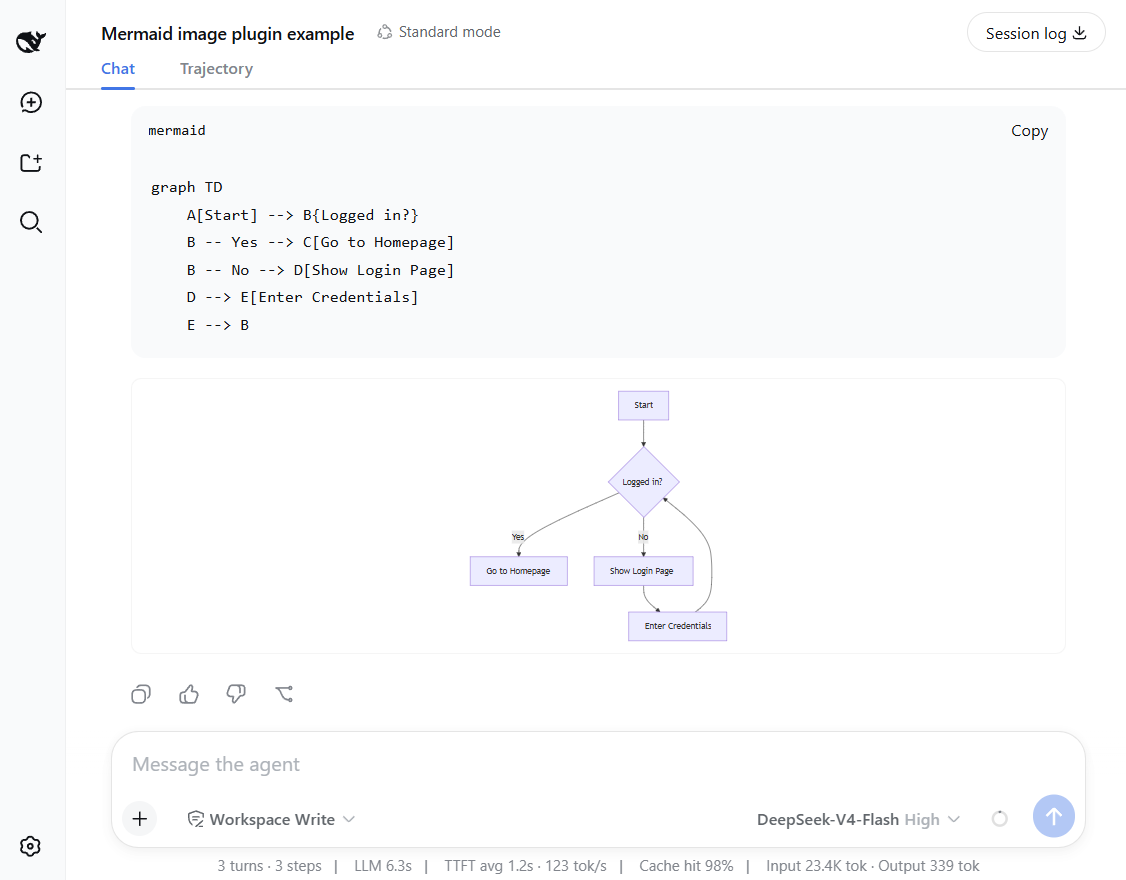 ## Features and how it works - **Preview mermaid diagrams by rendering images directly!** - **Local renderer first!** If it fails, it can fall back to an external or self-hosted rendering engine by configuring a fallback server. - Setting card: you can adjust runtime settings in the UI - no restart needed. - Mount point:
 conversation.chat.turnTail (chain slot, additive - never shadows shipped UI). - Thumbnail display: the diagram renders as a thumbnail; click to enlarge in place, click again to shrink back (same element toggles, no popup). - Light/dark themes follow the UI automatically. ## Support diagram types The plugin renders diagrams locally with a built-in renderer. It supports 14 diagram types out of the box. **Rendered locally:** flowchart, sequenceDiagram, classDiagram, stateDiagram, erDiagram, pie, journey, gitGraph, requirementDiagram, timeline, quadrantChart, packet-beta, xychart-beta **Expand:** gantt, mindmap, block-beta, sankey-beta, architecture-beta, zenuml, C4Context > [!NOTE] > You can enable the fallback to render expanded types — see **Configuration** below. ## Installation ### Installation from github bash ### latest release version $ npx @deepseek-ai/dsh plugin --profile web add github:baconbao/dsh-mermaid-image-preview#latest ### specific version $ npx @deepseek-ai/dsh plugin --profile web add github:baconbao/dsh-mermaid-image-preview#<VERSION_TAG|GIT_TAG> ### dev version $ npx @deepseek-ai/dsh plugin --profile web add github:baconbao/dsh-mermaid-image-preview#dev ### Installation from source code bash $ git clone https://github.com/baconbao/dsh-mermaid-image-preview $ cd dsh-mermaid-image-preview $ pnpm install $ dsh plugin --profile web add . > [!IMPORTANT] > Restart dsh web after installing. ## Configuration ### Change runtime settings on setting card 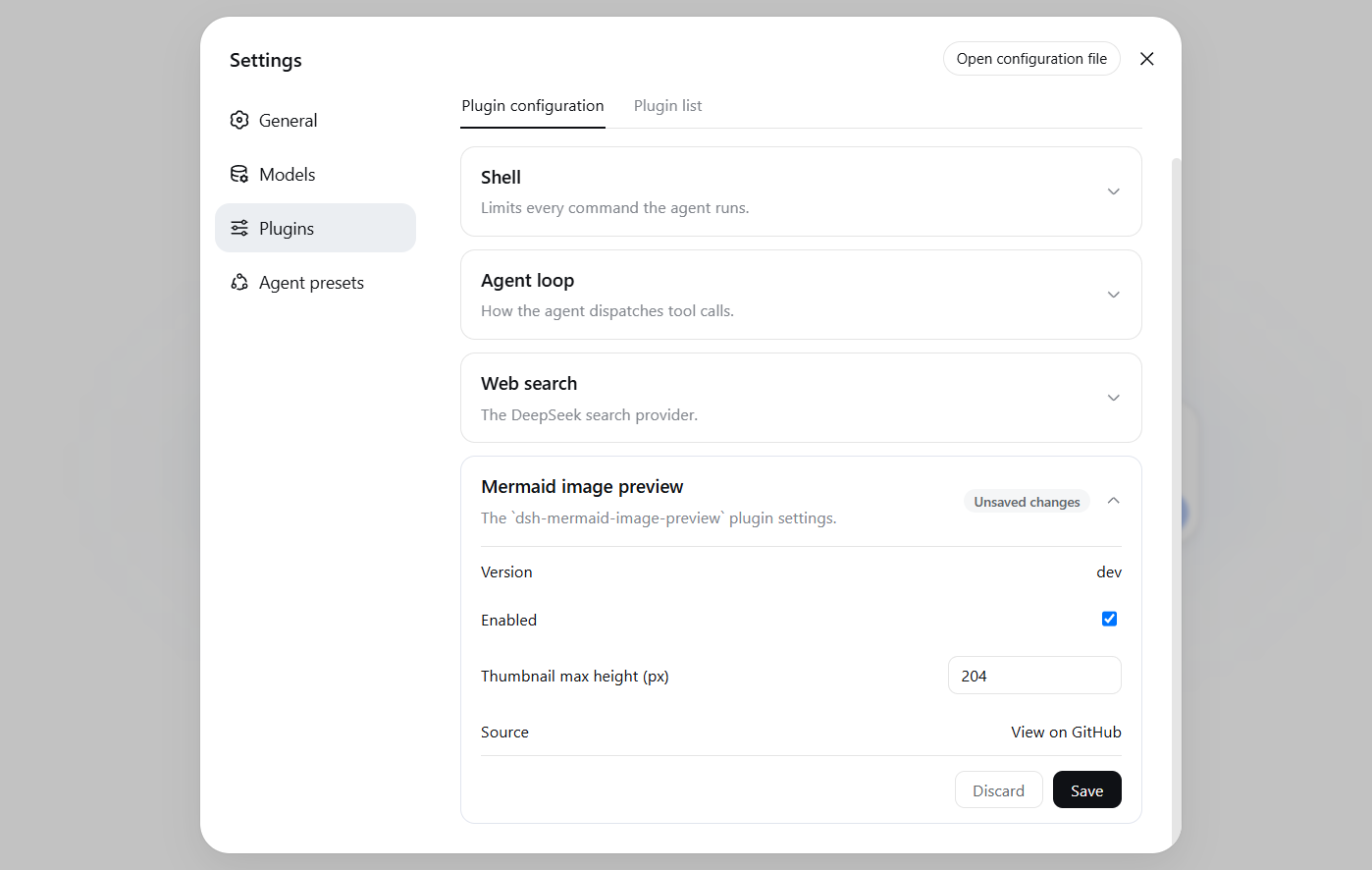 The Plugins settings page (Settings > Plugins) shows a
 Mermaid image preview card where you can adjust plugin's runtime settings directly - no restart needed. Values are stored in localStorage and applied immediately across all sessions. ### Change render server by profile patch Diagrams are rendered locally by default. To use your own render server or enable the external fallback, edit the profile's cordis.patch.yml (e.g. ~/.dsh/profiles/web/cordis.patch.yml): yaml - id: ui-dsh-mermaid-image-preview config: enableLocalRender: true fallbackRenderUrl: https://mermaid.ink enableFallback: false - enableLocalRender: render locally (default true). Set false to always use the fallback server (enableFallback is ignored). - fallbackRenderUrl: fallback render server (default https://mermaid.ink). - enableFallback: use the fallback server when local rendering fails (default false). - Restart dsh web after changing these settings. - To host your own fallback render server, see https://github.com/jihchi/mermaid.ink for the details. ## Uninstallation bash $ dsh plugin --profile web remove @baconbao/dsh-mermaid-image-preview > [!NOTE] > Since v0.2.0 the plugin/package id is changed from dsh-mermaid-image-preview to @baconbao/dsh-mermaid-image-preview. ## Test Ask the agent to produce: ```mermaid graph TD A[Start] --> B{Success?} B -->|Yes| C[Done] B -->|No| D[Retry] ``` --- ## Author baconbao, vibe coding with deepseek ai ## License MIT不看 Star,人工一条条挑的。
把 DSH 的 settings.yaml 做成可视化看板:所有已注册的 settings namespace——包括官方界面从未覆盖的第三方插件配置——都渲染成可编辑表单。项目还早,但方向很对:告别手改 YAML。
给 DSH 的 DIY 轨迹可视化:把 agent 的计划与执行画成图,不用翻原始日志也能看清它在干嘛。项目还早,但补上了「一眼看懂 agent 在做什么」这个真实缺口。
从 Claude Code / Codex 把活派给 DSH:在宿主内拉起带分级预设的 DSH agent 会话,看原生子代理进度,还能借它的多模态桥给纯文本的 DSH 补上视觉和生图。编排型插件,把 DSH 变成其他编码 agent 的后端。